Terraform Week Day4: Terraform State Management
Introduction
In this guide, we'll dive into the importance of Terraform state and explore different methods of storing state files using Terraform Backend, both locally and remotely. Additionally, we'll discuss various remote state management options like AWS S3 and some best practices of managing terraform state.
Understanding Terraform State:
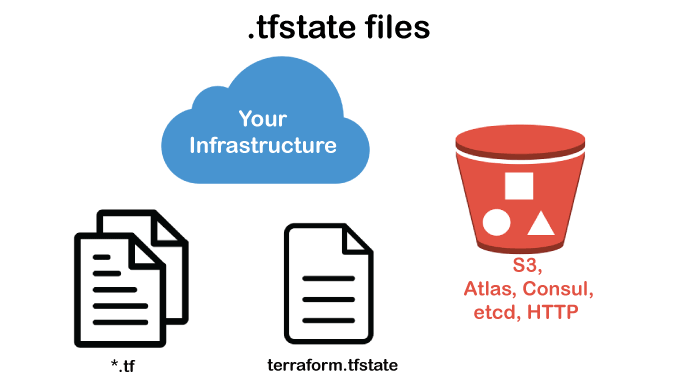
Terraform has emerged as a powerful tool for managing infrastructure as code, enabling teams to provision and manage resources across various cloud providers and on-premises environments. However, one critical aspect of Terraform often overlooked is state management.
Terraform state is stored in a file named terraform.tfstate in the root directory of your Terraform project. This JSON file stores information about all your resources, such as IDs, attributes, and dependencies.
Methods of Storing Terraform State:
(1) Local Backend:
Storing state files locally is the default option in Terraform. When using the local backend, Terraform creates a state file (terraform.tfstate) in the root directory of your project.
 terraform {
  backend "local" {}
}
(2) Remote Backends:
Initialize Remote State
Initialize your Terraform project:
terraform init
However, instead of using the default local state backend, specify a remote state backend in your configuration.
Remote backends offer a more robust and scalable solution for managing the Terraform state, especially in collaborative or production environments.
They store state files remotely, enabling multiple team members to work on the same infrastructure concurrently and providing better security and reliability.
AWS S3 is a popular choice for storing Terraform state files securely.
Let's look through the example of how terraform remote state backends which are implemented by storing the state file in AWS S3:
terraform {
  backend "s3" {
    bucket = "terraform-state-bucket"
    key    = "terraform.tfstate"
    region = "us-west-2"
    encrypt        = true
    dynamodb_table = "dynamodb-table"
  }
}
In this example, we use an S3 bucket to store the state file and DynamoDB for locking. Below are the details of the above configurations:
bucket: This is the name of the S3 bucket where Terraform will store its state file and related data.
key: This is the path within the S3 bucket where Terraform will store its state file.
region: This specifies the AWS region in which the S3 bucket is located.
encrypt: When it is set to true, it means that Terraform will encrypt the state file when storing it in S3, providing additional security.
dynamodb_table: This setting is used for state locking, which prevents concurrent state modifications.
(3) Azure Storage Account:
Similar to AWS S3, Azure Storage Account can be used as a backend for storing Terraform state files when working with Azure infrastructure. It offers similar benefits such as scalability, durability, and security features.
Example:
terraform {
  backend "azurerm" {
    storage_account_name = "tfstatestorage"
    container_name       = "tfstate"
    key                  = "terraform.tfstate"
  }
}
Best Practices for Managing Terraform State
Here are some best practices for managing Terraform state:
Keep state in a remote backend. By default, Terraform stores state locally on disk; however, it would be much more helpful to store state remotely in the Cloud. Doing this allows teammates to share it more efficiently and allows for easy recovery in case of loss of state.
Create separate state files for every environment. It's always best practice to keep individual state files for different environments, for example, production, staging, and development environments. It prevents a situation where a change in one environment affects the other environments by mistake.
Regularly back up your state file. Regular backups of your state files can help ensure recovery in case they become lost or deleted unexpectedly.
Conclusion:
Effective Terraform state management is essential for maintaining infrastructure as code projects reliably and efficiently. By understanding the importance of Terraform state and leveraging different methods of storing state files using Terraform Backend, teams can ensure consistency, scalability, and collaboration in their infrastructure provisioning workflows.


